Case Study
Automated Billing Audit Pipeline
Independent technical proposal to a retirement planning firm
*This was a technical proposal I designed independently. The company name has been withheld, and this pipeline was not built or deployed in production.
The Problem
Billing that has to be checked by hand doesn't scale.
Retirement planning firms bill clients based on signed fee agreements, and every charge is supposed to match what was actually authorized. When that check happens manually, someone comparing a spreadsheet of billing records against a folder of signed PDFs, mismatches slip through. By the time anyone notices, months of overbilling or underbilling can pile up.
The firm this was designed for had exactly that setup: signed agreements sitting as PDFs, billing records in Excel, and no systematic way to catch a discrepancy before a client called to ask about it.
The Opportunity
A system that never stops checking.
The right system wouldn't just make it faster for a person to check billing, it would remove the need for anyone to check most of it at all. Every signed agreement would become structured, queryable data the moment it was signed. Every billing cycle would get checked against that data automatically, every time, for every client, not just the ones somebody happened to spot-check. And when someone did have a question, like whether a client actually agreed to a fee, the answer should be one message away instead of a search through file folders.
The Pipeline
So I designed a three-stage pipeline.
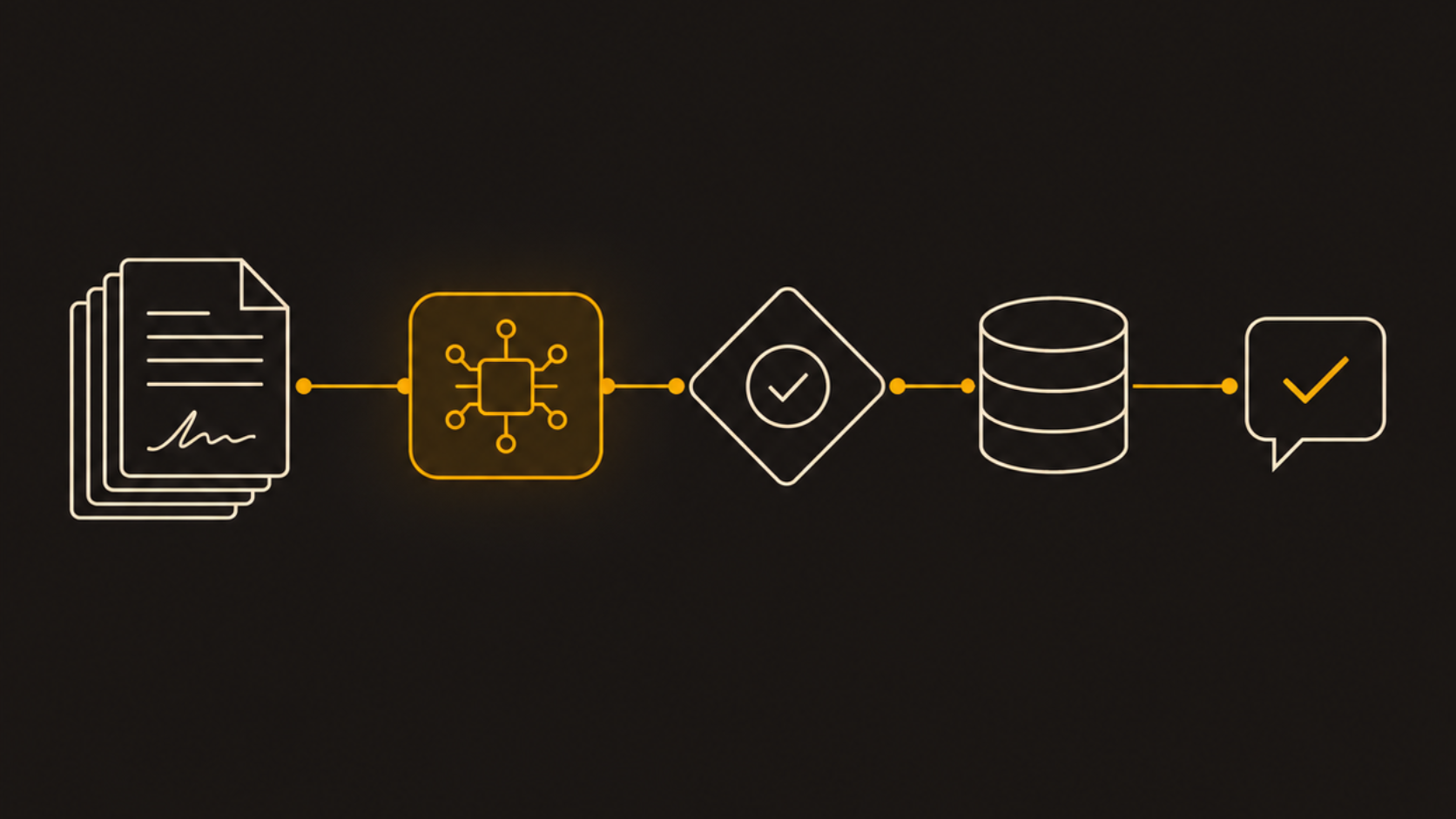
Three stages: turn signed PDFs into checkable data, check what was billed against it, and let a person just ask.
1. Structuring the Agreements
Power Automate watches SharePoint for new signed PDFs. Azure Document Intelligence turns the scan into text, Claude pulls the client, fee percent, product, and date into structured data, and a second Claude pass rechecks anything unsure before it's trusted. The result lands in Azure SQL, linked back to the source PDF.
2. Checking What Was Billed
On a schedule, every billing record gets paired with its signed agreement by client ID and date, then compared. A match clears automatically. A mismatch becomes an exception, ranked by dollar impact, on a Power BI dashboard.
3. Letting a Person Just Ask
From inside Microsoft Teams, someone can ask a question like "did this client sign up for this fee?" A Copilot Studio agent looks it up in Azure SQL, read-only, and answers with a link back to the source document.
Design Decisions
The choices that mattered.
- Power Automate is the conductor, not the worker. It doesn't structure anything itself, it just calls each service in order and passes the output forward, so it stays a thin orchestration layer instead of a place where logic gets buried.
- Claude runs through Microsoft Foundry, not a consumer chat app. That keeps the firm's data inside their own Azure tenant: same sign-in, same Azure bill, same governance controls, no separate vendor relationship.
- The audit itself stays plain database logic on purpose. Comparing two numbers is a job for deterministic code, not an AI judgment call, so the result is provable, not interpreted.
- The Query Agent in Teams can only read. The SQL login behind it has no permission to write or delete, no matter what it's asked, and a Supervisor Agent's rules decide when to ask a clarifying question instead of guessing.
Looking Back
What designing this taught me.
- Not everything should be AI. The part of this pipeline that matters most for trust, the actual audit comparison, is the part I kept as plain deterministic logic. AI is for interpreting messy input, not for being the source of truth on a yes-or-no financial question.
- Orchestration and reasoning are different jobs. Keeping Power Automate as a pure conductor and Claude as the only place doing interpretation made the whole system easier to explain and to trust.
- Read-only isn't a suggestion, it's an architecture decision. Deciding the Query Agent could never write anything, at the access-control level and not just the prompt level, was one of the first decisions I made, not an afterthought.
- Good automation removes a task, not just speeds it up. The goal wasn't a faster way for a person to check billing. It was a system where most billing never needed a person to check it at all.
Get in Touch
Let's build something that works.
Open to strategy, operations, and analytics roles, and consulting projects. If you're working on a problem worth solving, I'd like to hear about it.
Email Me Back to Home